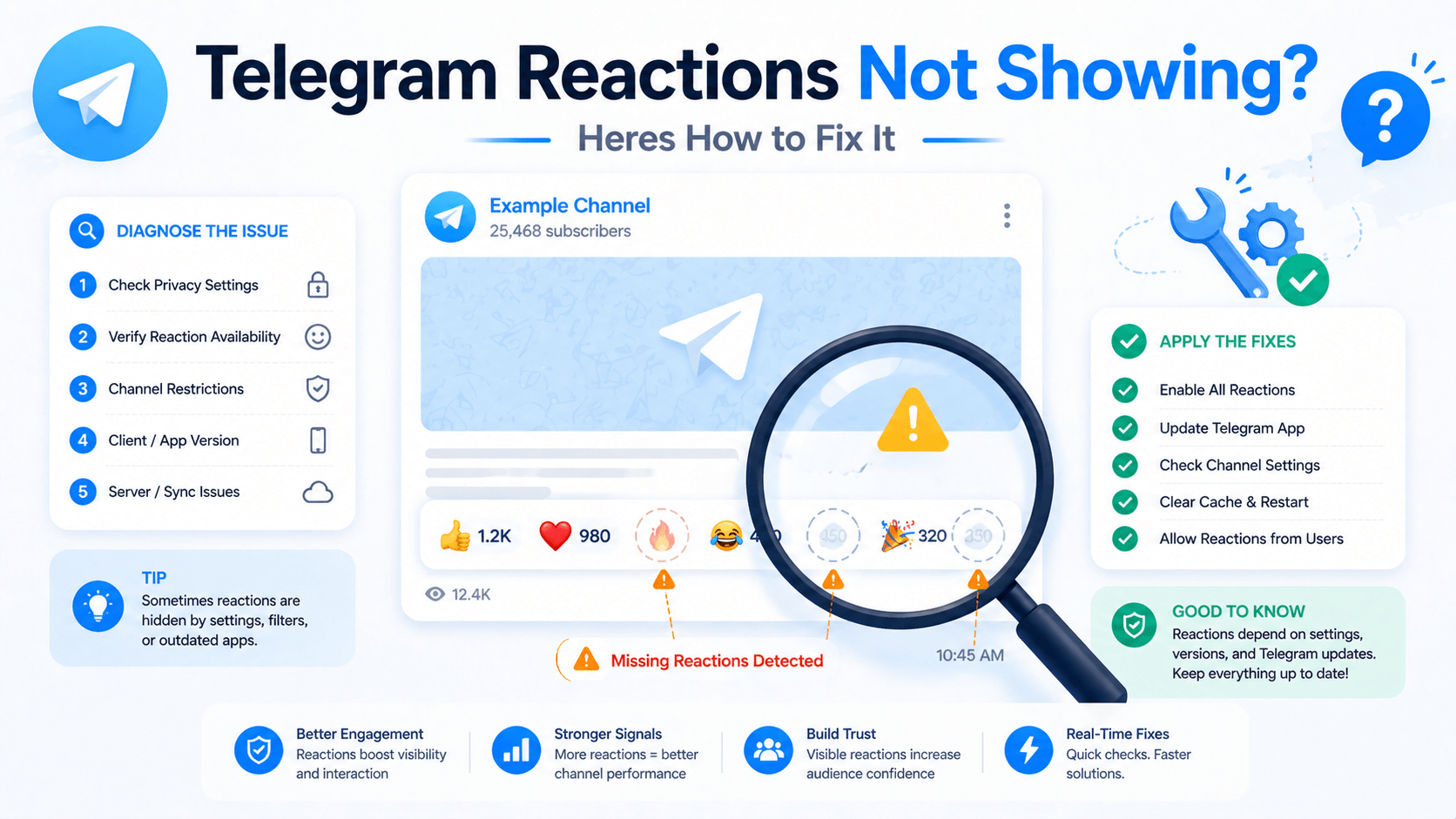
Why Are My Telegram Reactions Not Showing? (And How to Fix It)
Why Are My Telegram Reactions Not Showing? (And How to Fix It)
Updated: April 29, 2026 · By the firstsmm.in team
If youre here, your Telegram reactions arent showing. Either reactions you ordered through an SMM panel arent appearing on your posts, or reactions that were there yesterday have vanished today, or your channel suddenly stopped letting users react at all.
This is a frustrating problem with multiple possible causes, and most online "solutions" are vague generic advice. Lets actually diagnose your situation.
Walk through this systematically. The fix is almost always one of seven specific things — and the diagnostic order matters because earlier checks rule out simpler issues before you investigate harder ones.
Diagnostic step 1: Check your channels reaction settings
Most basic possible cause and the one most often missed.
Telegram channels have a per-channel setting that controls whether reactions are enabled, which specific emoji reactions are allowed, and whether all users can react or only paid Premium users.
To check on your phone:
- Open your channel
- Tap the channel name at the top to open channel info
- Tap the "Edit" button (pencil icon for admins)
- Tap "Reactions"
- Verify reactions are enabled and your desired emoji set is selected
If reactions are disabled at the channel level, no reactions will show regardless of what users or services try to apply. Re-enable and your reactions should start showing again.
If reactions are enabled but only specific emojis are allowed, reactions outside that emoji set wont appear. SMM services usually deliver the standard reaction set (👍 ❤️ 🔥 🎉 etc) — if your channel restricts to only thumbs-up, only thumbs-ups will show and the rest get filtered.
This single setting accounts for somewhere around half of "reactions not showing" cases. Always check first.
Diagnostic step 2: Check whether reactions are showing for some users but not others
If you can see reactions but other users cant, or vice versa, the issue is account-level rather than channel-level.
Common causes:
App version mismatch. Telegram pushes reaction features in stages. If your apps Telegram version is significantly older than current, reactions may not display correctly. Update your Telegram app to the latest version.
Premium-only reactions. Some custom emoji reactions are restricted to Telegram Premium users. Non-Premium users see those as missing or replaced with default thumbs-up. If your channel uses custom emoji reactions, check whether the issue affects only specific users.
Region/network issues. Rarely, regional content delivery issues cause reaction display delays for users in specific countries. Usually self-resolves within hours.
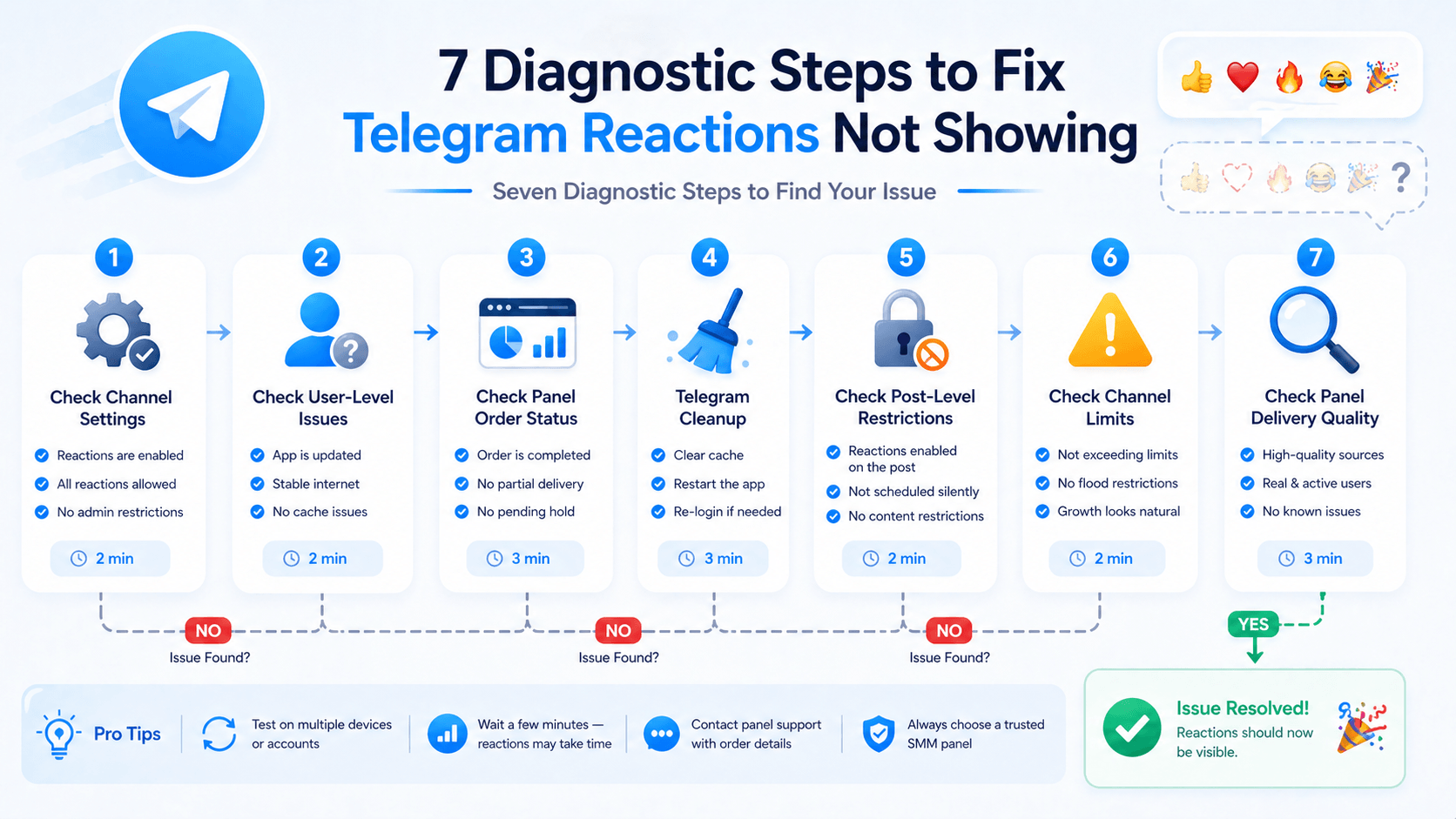
Diagnostic step 3: For SMM-panel-bought reactions — check delivery status
If you ordered reactions through an SMM panel and they're not appearing, the cause might be the order itself, not your channel.
Check your panel dashboard.
The order should show one of: pending, in progress, completed, partial, or refunded. Each tells you something different.
- Pending: Order hasnt started yet. Wait the quoted delivery window.
- In progress: Currently delivering. Some reactions may be visible already; more arriving over time.
- Completed: Order finished. If reactions still arent showing on your post, theres a different issue (continue diagnostics below).
- Partial: Order partially delivered before the service couldnt continue. Usually means platform-level issue with that service tier — request refund of unfulfilled portion.
- Refunded: Order canceled and money returned. Place a new order via a different service tier or panel.
If you used firstsmm.in, our dashboard shows order status clearly with timestamps. If status is unclear, contact support with your order ID.
Diagnostic step 4: Check whether reactions arrived but Telegram cleaned them up
This is the harder case.
If reactions appeared briefly and then disappeared within hours or days, Telegrams own bot detection has cleaned them up. This is a real platform behavior — Telegram periodically removes reactions from accounts it identifies as automated.
Cheap reaction services are particularly susceptible to this. They use accounts with minimal profile activity that Telegrams systems flag during cleanup sweeps.
What to do:
For currently affected orders. Most quality panels offer refill guarantees on certain service tiers — if reactions drop within a guaranteed window, the panel re-applies replacements at no charge. Check whether your panel offers this and request the refill.
For future orders. Switch to higher-quality service tiers that resist cleanup. firstsmm.in's premium reaction services use accounts that pass Telegrams detection at meaningfully higher rates than budget tiers.
Reset expectations. Some level of reaction churn is normal even on quality services. Plan for 5-15% drop rate even on premium tiers. Budget tiers can drop 40-70%. The price difference is usually worth it.
Diagnostic step 5: Check whether the post itself is restricted
Less common but real.
Some posts in some channels have reaction restrictions applied at the post level rather than channel level. This usually happens through:
Forwarded posts. Reactions on forwarded posts can be disabled in some configurations. Posts from previous owner. If your channel was migrated or transferred, posts from before the transfer might have reaction restrictions. Post type. Specific post types like channel-to-group cross-posts sometimes have reaction limits.
For affected posts, the only fix is reposting fresh content rather than trying to add reactions to the restricted post.
Diagnostic step 6: Check whether your channel has hit a Telegram limit
Telegram occasionally applies temporary restrictions to channels showing unusual activity patterns.
Symptoms include:
- Reactions stop appearing on all new posts
- Channel post views suddenly stagnate
- New members stop joining
- Forward counts freeze
If your channel shows multiple of these symptoms simultaneously, Telegram may have applied a temporary "shadow restriction" — usually triggered by sudden surges in subscriber or engagement activity that look bot-driven.
To address:
Pause all SMM activity on the channel for 7-10 days. Continue posting genuine content normally. Restrictions usually lift automatically once the channel's metrics return to organic-looking patterns.
This is why drip-feed delivery and pacing matter so much. Channels that scale gradually rarely hit these restrictions. Channels that spike usage trigger them.
Diagnostic step 7: Verify the SMM panel is delivering quality reactions
Final check, especially if you've worked through 1-6 and the issue persists.
Some cheap panels deliver "reactions" that aren't actually reactions in Telegrams system. They look like reactions in panel reports but never appear in the actual channel. This is a panel-quality problem.
How to verify:
Test by ordering reactions through a different panel. If reactions from a different panel appear correctly while your current panel's don't, the issue is your current panel's delivery quality.
If you've been using a panel that consistently has this issue, switch. Working panels have working reactions. Persistent failure is a signal to move.
firstsmm.in's reaction services have been consistently delivering across our multi-year operation. Our reaction catalog covers standard emoji sets, custom premium reactions where available, and quality tiers from budget to premium. Browse current options at firstsmm.in/services.
Quick reference: which fix matches which symptom
Cross-reference for rapid diagnosis.
Reactions don't appear at all on any post: Step 1 (channel settings).
Reactions show for me but not other users: Step 2 (app version, Premium reactions, regional issues).
Reactions ordered through panel never appeared: Step 3 (panel order status).
Reactions appeared briefly then vanished: Step 4 (Telegram cleanup, refill guarantee).
Reactions missing on specific posts only: Step 5 (post-level restrictions).
Multiple metrics affected simultaneously, channel feels "stuck": Step 6 (Telegram channel restriction).
Reactions consistently fail through one panel but work elsewhere: Step 7 (panel quality issue, switch providers).
Preventive measures for ongoing reaction reliability
To avoid these issues in the first place.
Use quality service tiers, not cheapest. Premium reaction services cost 2-4x what budget tiers cost but resist cleanup at meaningfully higher rates. The math usually works out in favor of premium for ongoing campaigns.
Pace your activity. Sudden reaction spikes (1,000 reactions on a single post within an hour) trigger detection more than gradual delivery (1,000 reactions across 24-48 hours). Drip-feed when possible.
Vary reaction types. Channels with every post showing identical 50 thumbs-ups look obviously artificial. Mix reaction types. Some posts get heavy thumbs-up, others heart, others fire, others laughter. Variation reads as organic.
Match reaction count to view count. A post with 200 views and 150 reactions has a 75% reaction rate, which is biologically impossible. Keep reaction-to-view ratios in normal ranges (5-25% depending on content type).
Keep some posts unreacted. If literally every post in your channel has bought reactions, the pattern is obvious. Leave roughly 30-40% of posts without SMM support so the supported posts look like they earned their reactions through quality.
How firstsmm.in supports troubleshooting and reliability
Couple of things specifically.
Refill guarantees on premium tiers. When reactions drop within the guaranteed window, our system applies replacements automatically rather than requiring you to chase support.
Multiple service tiers so you can match service quality to scrutiny level. Budget tiers for casual use, premium tiers for high-stakes channels.
Order status visibility in dashboard with timestamps so you can verify what was delivered and when.
Support team that handles reaction-specific troubleshooting in Hindi or English during business hours. As an India No 1 SMM panel with multi-year operation, our team has seen most reaction-related issues and can usually diagnose quickly.
If your reactions arent showing and you've worked through the diagnostics above, contact support with your order ID. We'll help identify which step matches your specific situation.
Final thoughts
Telegram reactions not showing is rarely one cause — its usually one of seven specific issues, each with a specific fix. Working through them systematically saves hours of frustration.
If youre using a panel that consistently has reaction issues even after you've ruled out steps 1-6, switch panels. Working delivery is a baseline expectation, not a premium feature.
If our reactions catalog fits your needs, sign up and run a small test order to verify quality on your specific channel before scaling up.
Related reading:
Telegram Views SMM Panel — Why Views Matter More Than You Think — companion view-services post (today) Best SMM Panel for Telegram in India 2026 Best SMM Panel for Telegram SubscribersFastest SMM Panel for Telegram — Speed vs Quality Telegram SMM Panel — overall servicesTelegram Channel Members Quality vs Quantity What Is an SMM Panel?
Use cases that depend on reliable reactions:
SMM Panel for Coaching Institutes (engagement on topper announcements), Telangana (Tollywood fan channels), Pakistan, UAE.